Hashnode Subdomain with Netlify and Google Domain
How to setup a custom subdomain if you're using Netlify DNS with Google Domains

If you're like me, you overcomplicate things.
I made a custom Hugo theme for my personal portfolio and blog site last year. Here's the Github. Here's the main site.
I registered the domain with Google. But I deployed the site with Netlify. Because I wanted to be awesome, learn many things, and take a circuitous route to the finished product.
This year, I realized that it may actually be a solid idea to be publishing articles on a proper platform like Hashnode.
Thankfully, I can do both!
Part of the appeal of Hashnode is the mapping of the blog to a custom domain. But when I went into Google Domains, I realized I'd set things up to use the DNS servers at Netlify.
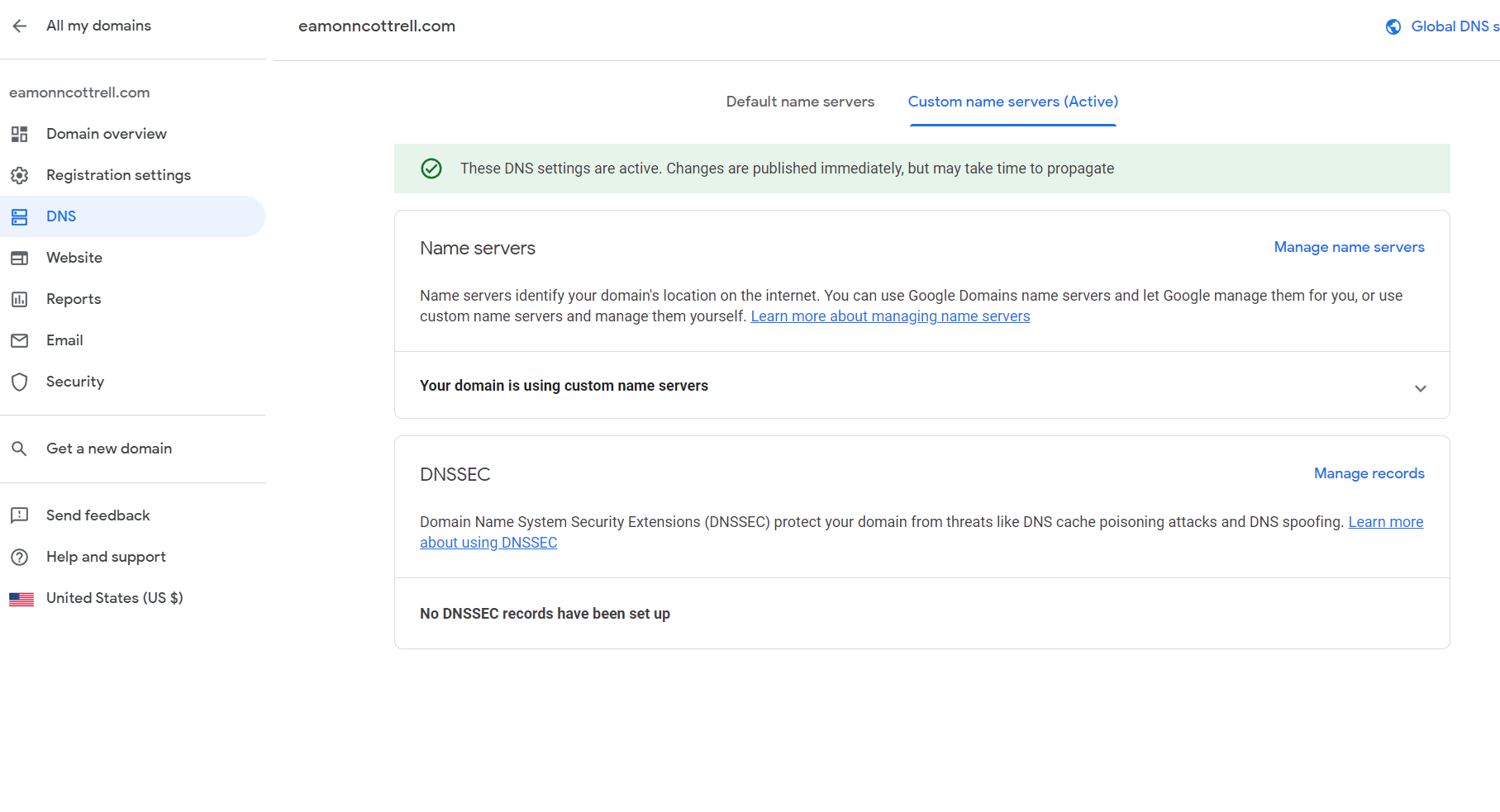
Fear not!
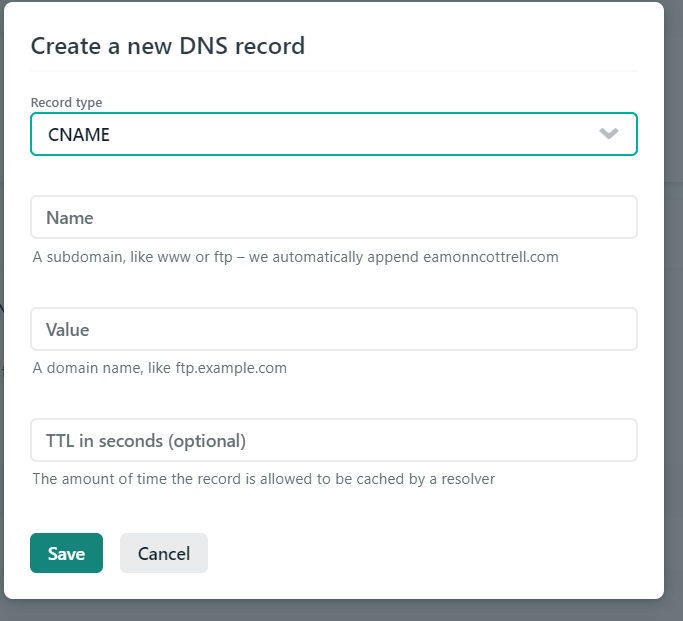
Heading over to Netlify, all that is needed is to setup a new record under the DNS settings here. The record type is CNAME, the name is whatever you want...in my case, I wanted it to be blog. And the value is hashnode.network. I left the TTL part blank (it's optional).
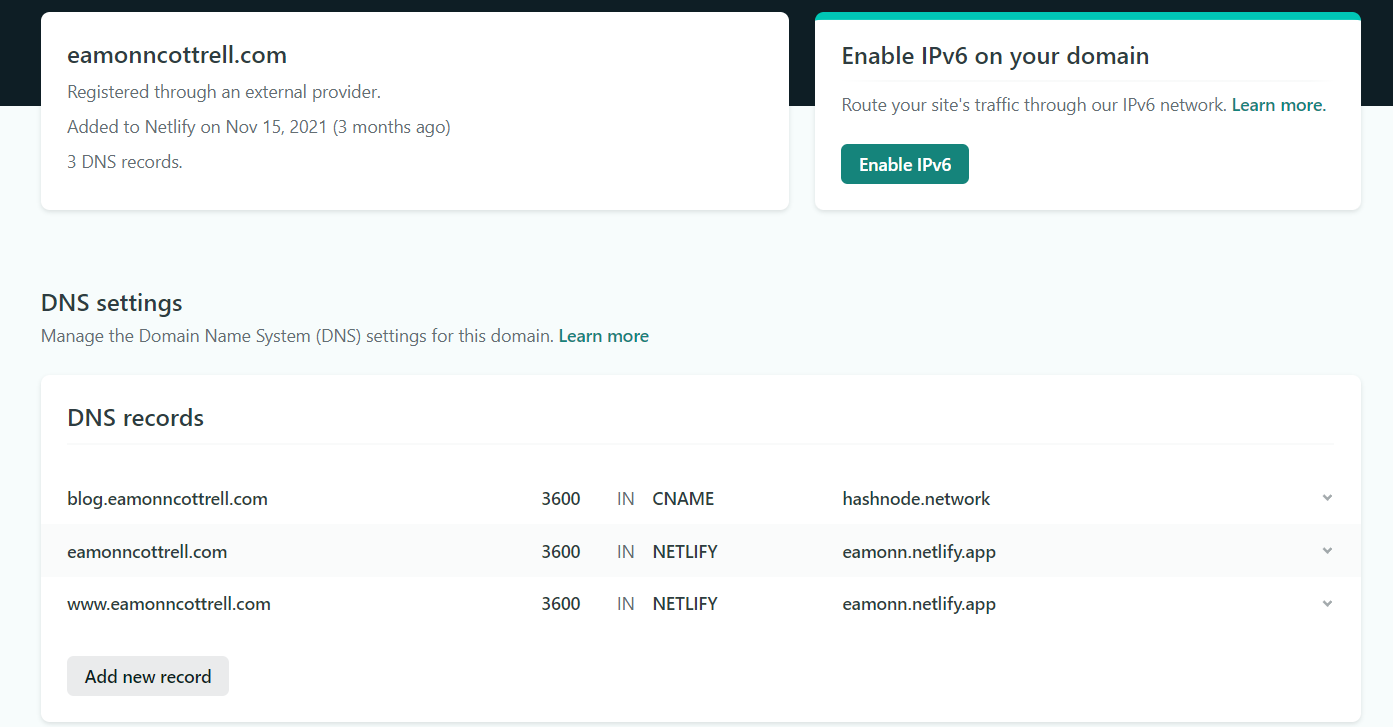
And, that's it. It can take up to 24hrs to propagate, but mine worked at blog.eamonncottrell.com almost immediately.
Now I've got a couple choices that I'm not fully committed on yet. I could hop back into the code to my portfolio site and redirect the blog posts to Hashnode. Or I could have them living in both places. Redundancy here seems dumb, but I do still kind of like that I've got a custom built template over on my domain.
What do you think I should do?
Let me know!
Reach out over on Twitter and/or LinkedIn and tell me what you think.
Here's my portfolio site.
About the author
- I'm an AI automations and strategy educator on YouTube. I also review products. I love ultrarunning. I'm the father of 4 kiddos.
Comments
Join the discussionNo comments yet. Be the first to comment.