A List of PostgreSQL Commands for Beginners
Building a Mario Relational Database on freeCodeCamp

Yes, My First-ish Time
I've dabbled with SQL a couple times, but never truly dove all the way in. I took Google's Data Analytics certification last year, and it gave a nice cursory overview of SQL, Big Query, Tableau and the R language. But, I'm ready to sink my teeth into understanding how to use PostgreSQL out in the wild.
It's in Beta
I'm firing up this certification now, and I'm encouraged that it will be more impactful. Everything I've done on freeCodeCamp has been focused on learning through building. The projects are extensions of the lessons that make you actually have to re-learn what you've just been over in order to complete.
The browser version is in beta still, but I had significant issues on my PC when I tried to go through the earlier version solely through VS Code. I'm stoked to be starting now.
I've already been through the introduction to Bash section which was a nice overview of navigating the command line. If you're familiar at all with this type stuff, it won't take you longer than 20-30 mins to complete.
A Word of Caution
After completing 70% of the project, I encountered issues logging back in to finish it. I've had to delete the container and start from scratch. If you work on this certificate while it's in Beta, I recommend leaving each project open in your browser from start to finish.
Mario Database

Some PostgreSQL commands I'm learning in this lesson:
I'm having to adjust to using the backslash
\rather than the forward slash/for these commands
CREATE DATABASE your_db_name;= yes, this indeed creates a new database 😀DROP DATABASE your_db_name;= delete your_db_name.\l= lists the databases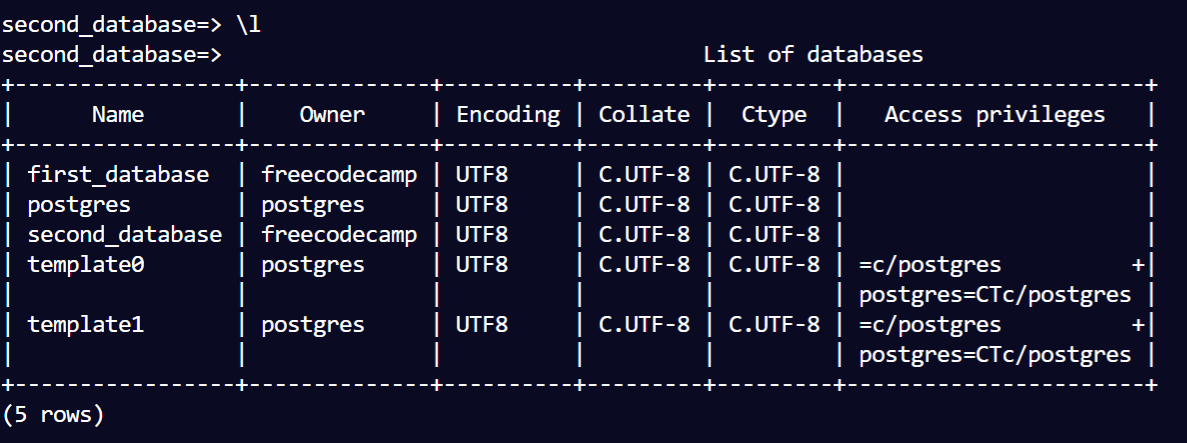
\c your_db_name= connects to a your_db_name database- You can tell which database you're currently connected to based on what the terminal prompt says...i.e. I'm connected to
second_databasein the screenshot below:
\d: display the tables in the database you're currently connected to.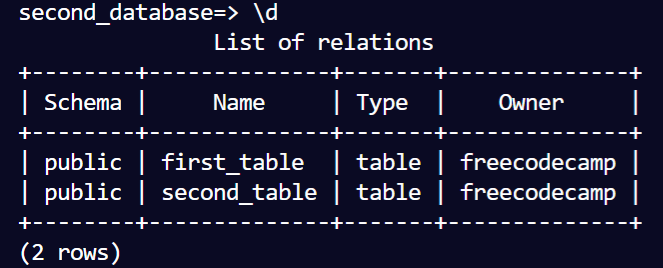
\d your_table_name: displays the details ofyour_table_name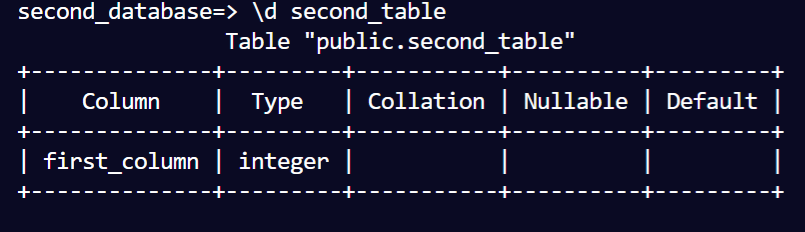
CREATE TABLE your_table_name(): yep, create a tableDROP TABLE your_table_name: deletes the tableALTER TABLE table_name ADD COLUMN column_name DATATYPE;: creates a new column in your tableALTER TABLE table_name DROP COLUMN column_name: removes a columnALTER TABLE table_name RENAME COLUMN old_name TO new_name: renames a column.ALTER DATABASE database_name RENAME TO new_database_name: renames database.INSERT INTO table_name(column_1,column_2...) VALUES(value_1, value_2...): insert the data via rows into the tables.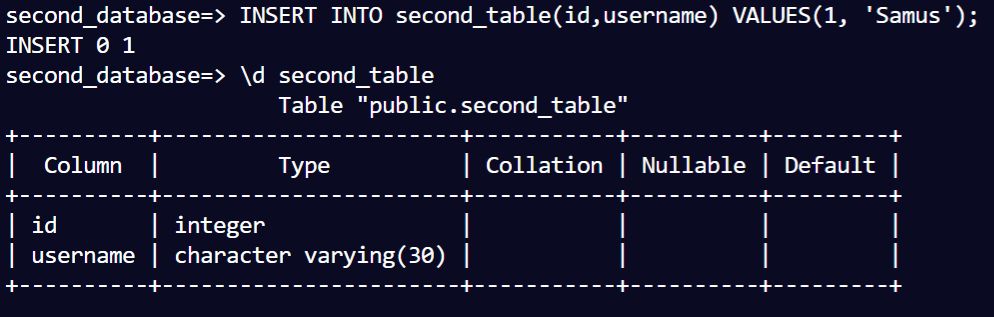
SELECT column(s) FROM table_name;: view data in table. (use an*between SELECT and FROM to select all the columns)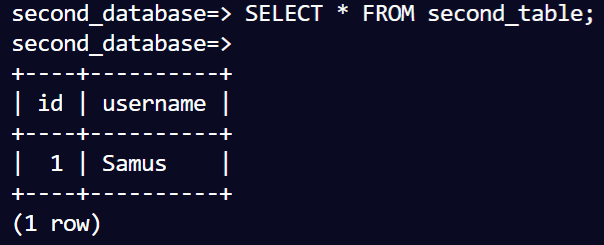
DELETE FROM table_name WHERE condition: deletes a row where the condition is met. i.e. condition(username='Luigi')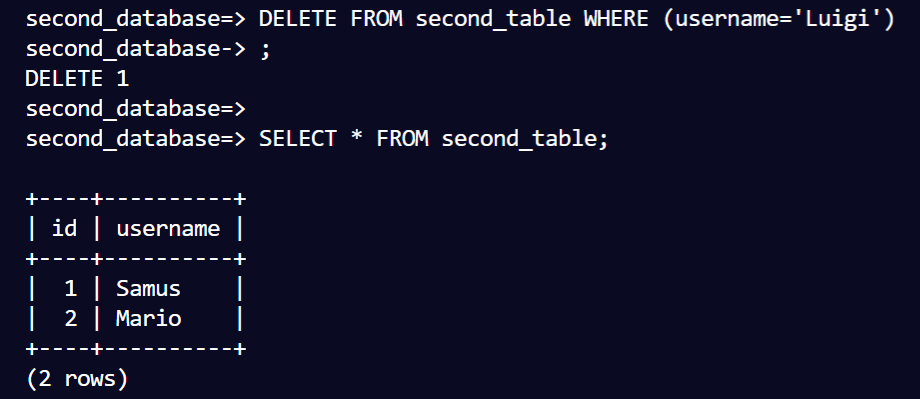
UPDATE table_name SET row_to_update = new_value WHERE condition: update a value in a row.
SELECT columns FROM table_name ORDER BY column_name;: put stuff in proper order.ALTER TABLE table_name ADD PRIMARY KEY(column_name);: sets a primary key to one of the columns.ALTER TABLE table_name DROP CONSTRAINT constraint_name;: drop a constraint (like removing a primary key)ALTER TABLE table_name ALTER COLUMN column_name DROP CONSTRAINT constraint_name;: drop a constraint from a column in the table.ALTER TABLE table_name ADD COLUMN column_name DATATYPE REFERENCES referenced_table_name(referenced_column_name);: Holy Toledo! This is how you set a foreign key. So it links tables together. The column added links to the referenced column in the referenced table.ALTER TABLE table_name ADD FOREIGN KEY(key_name) REFERENCES referenced_table_name(referenced_column_name);: Add a foreign key after the fact instead of with the creation of the column.ALTER TABLE table_name ADD PRIMARY KEY(column1, column2);: Creates a composite foreign key from values from two columns.FULL JOIN: This is where some magic happens. The full command is here:SELECT columns FROM table_1 FULL JOIN table_2 ON table_1.primary_key_column = table_2.foreign_key_column;: This hooks up two columns that we previously linked via keys.
This is awesome! Two previously separate tables are now joined:
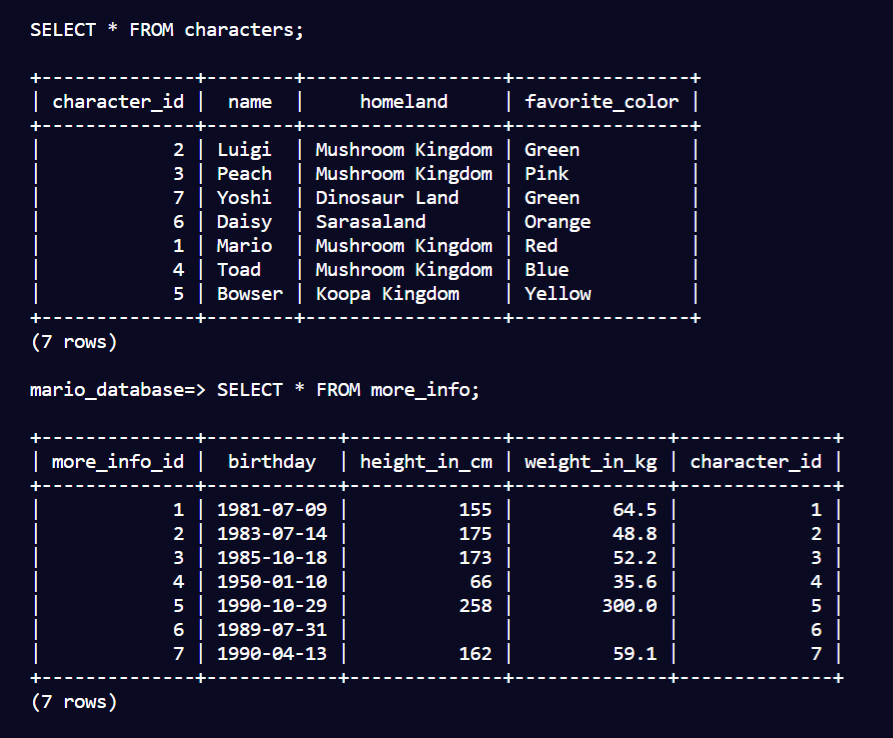
👇
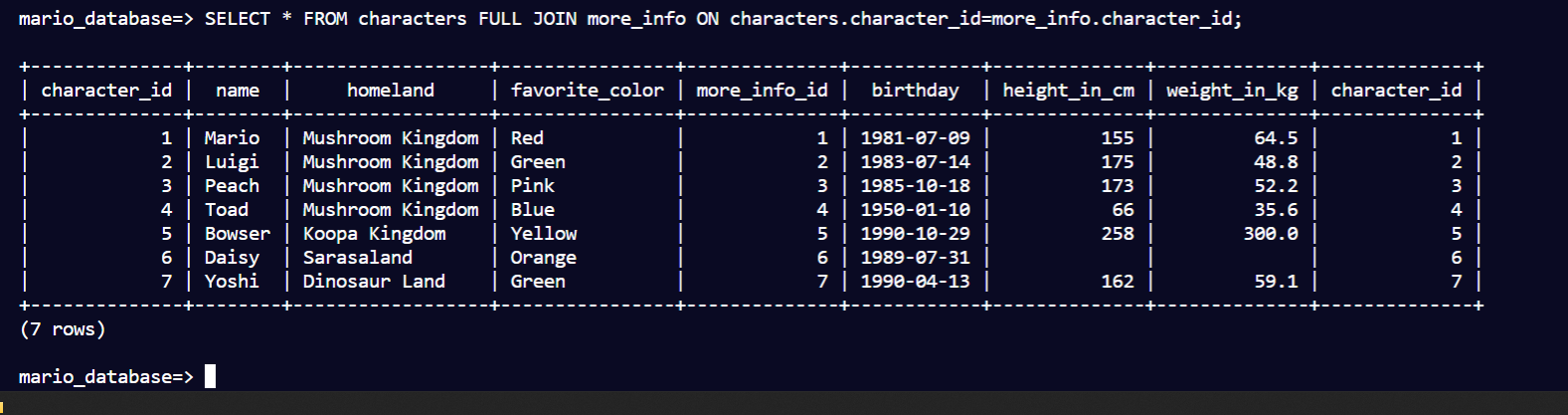
Don't forget semicolons at the end of the lines.
Cool Datatypes & All in One Commands
VARCHAR(n): a short string consisting of n number of characters.SERIAL: an integer that automatically increments when rows are added. See pic example below. The character_id is automatically assigned a value when I add a row of data.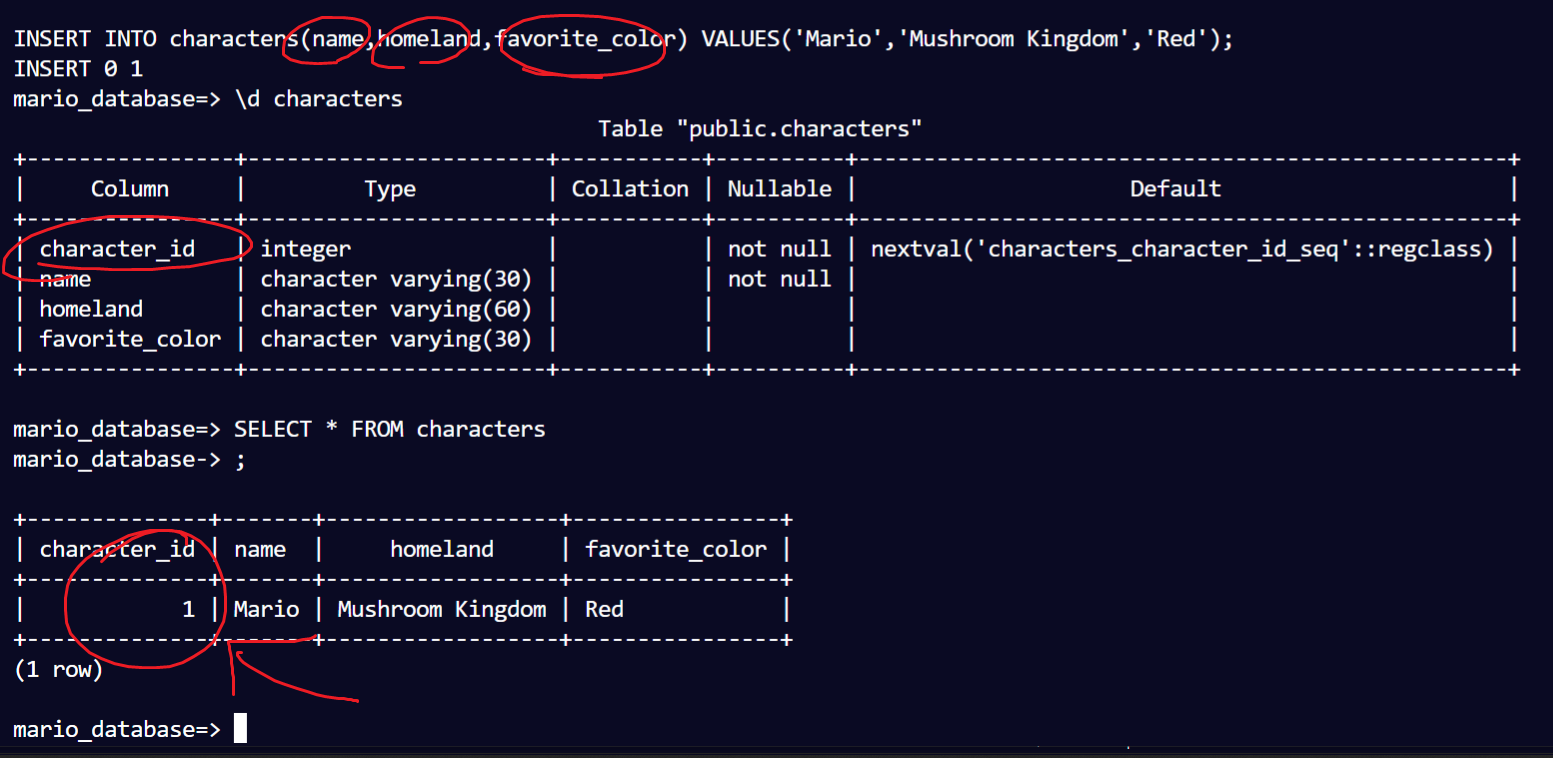
NUMERIC(4,1): decimal data type. In this example, it has up to four digits and one of them has to be to the right of the decimal.CREATE TABLE table_name(column_name DATATYPE CONSTRAINTS): a one-liner to create a table with column and constraints.- Junction Table: this creates two "one-to-many" relationships between tables. It's a table created to sort of 'glue' two other tables together.
Fun With Databases
I honestly had a blast going through the basics of PostgreSQL in this little project. Looking forward to continuing with more of the Relational Database Certificate on freeCodeCamp.
Thanks for reading; you can find me over on Twitter, and I'd love if you said hey! 😊
Have a great one! 👋
About the author
- I'm an AI automations and strategy educator on YouTube. I also review products. I love ultrarunning. I'm the father of 4 kiddos.
Comments
Join the discussionNo comments yet. Be the first to comment.
Relational Databases with freeCodeCamp
In this series, I will document my progress through and impressions on freeCodeCamp's Relational Database certificate.